


Project Features
Features to support a growing Wild Schools network
A wide range of really useful features supporting a membership site for a growing network of Wild-Schools


Web application behaves like software in the browser
Membership functionality
Accreditation system
Interactive map with filtering
Downloadable resources
Resources filtered by tagging system
Bespoke CMS for marketing content
News feed
Report a post functionality
Image compression built-in
Discovery specification included
Training included
Wild Schools membership web application
Derbyshire Wildlife Trust (DWT) is one of 46 trusts across the UK. They're all playing an incredible role in protecting the UK's natural heritage.
Innovatively, DWT is campaigning to support the re-wilding of school grounds across Derbyshire. Helping schools enhance their outdoor learning opportunities, while simultaneously improving opportunities for wildlife. The campaign is called Wild Schools. It involves an accreditation system helping move schools from unaccredited through to a gold level.
DWT approached Pendigital to help them with Wild Schools. They needed a bespoke web application to help manage:
- Membership
- The accreditation system
- Interactive map
- News feeds
- And much more...
Application Features
The Wild Schools application comes with a tonne of features. It was a really exciting web app to build.
Features include:
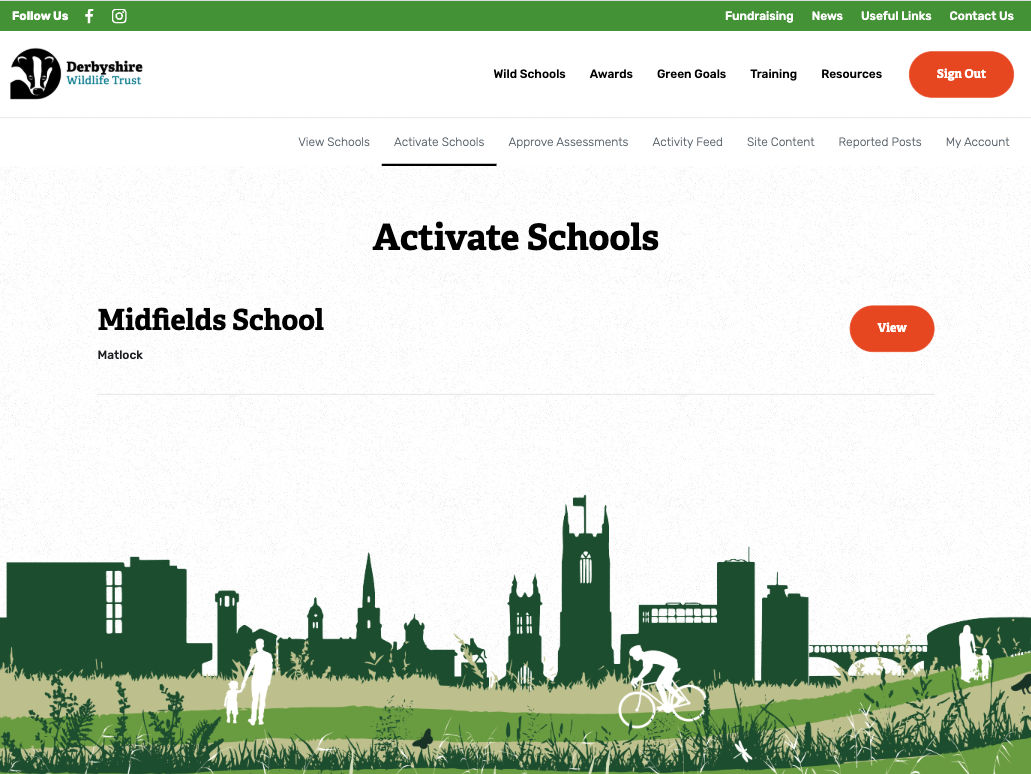
A Membership Platform
Schools can easily join the Wild Schools network through a simple online form. When logged out there are multiple calls to action encouraging registration for an account.
To ensure no one can access the system, all new accounts need to be activated by a the DWT super administrator. The form is also guarded by a ReCaptcha widget to avoid spam.
Once activated, schools have their own dashboard allowing them to:
- Start their Bronze Wild Schools Award.
- Gain feedback from DWT site visit messages.
- Download resources to inspire projects for re-wilding and stimulate learning
- Share content with other Wild School Network members via posting content through the activity feed.
The Accreditation System
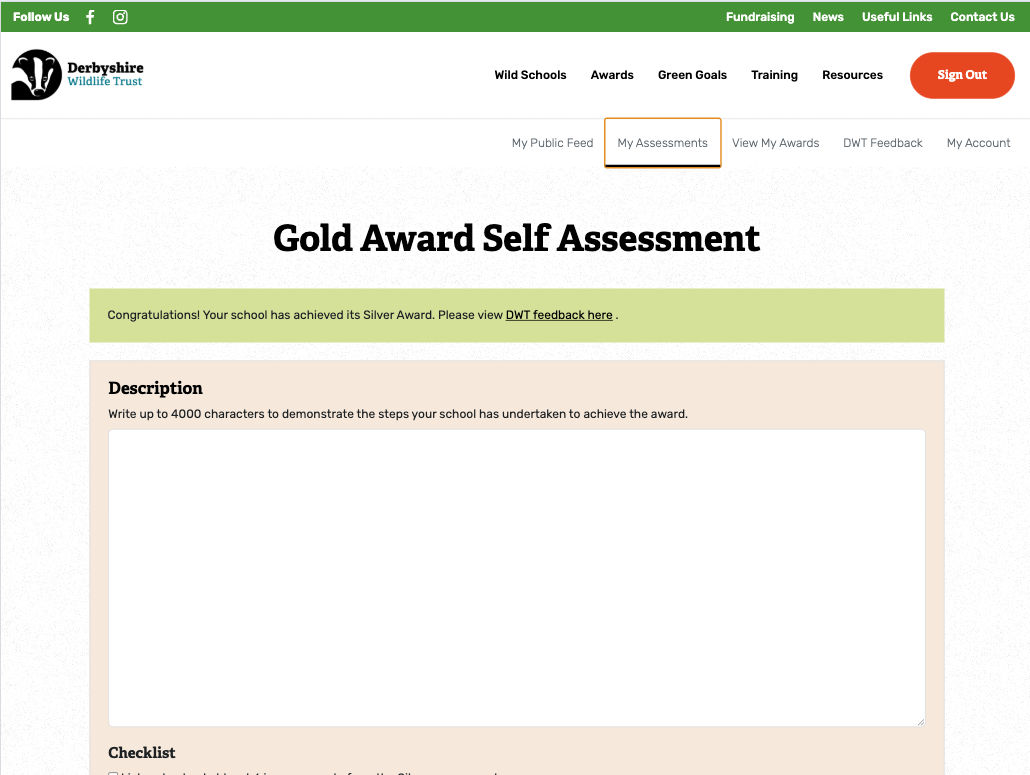
The accreditation scheme is all about rewarding schools with a Wild School Bronze to Gold accreditation. Once awarded, schools are encouraged to use their accreditation badge on their own marketing. Helping to shine a spotlight on the important work they're doing to inspire pupils and help nature.
The web application makes running the accreditation scheme a breeze. Schools simply make an application with text and imagery of their re-wilding work. DWT log in and approve or reject the application.
If successful...
- the school's public profile is updated with their application's text and imagery
- the school can download their accreditation badge
- the interactive map is updated with the schools new status
- the application form updates to their next accreditation to achieve
If unsuccessful...
- the school receives in-system feedback on how to improve a reworked application
- the school can also read any site visit feedback
Latest Award Widget
The latest award widget on the homepage and newsfeed showcase the latest 5 accreditations approved by DWT.
News Feed
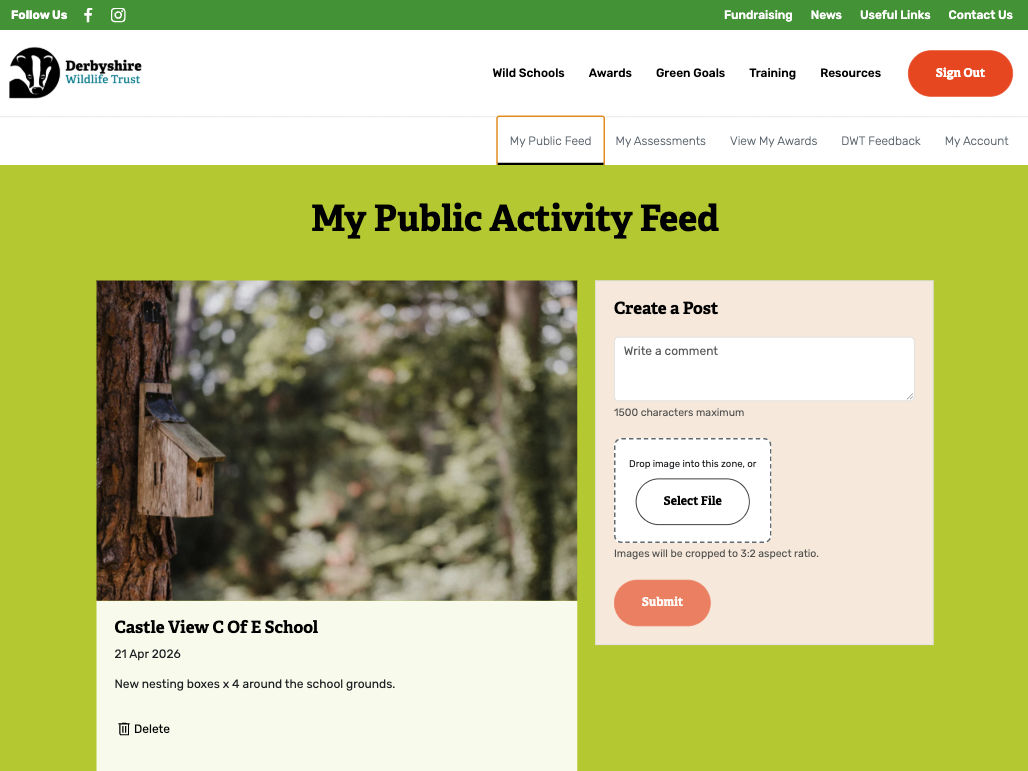
The news feed lists all the latest posts by DWT and schools. It gives a great insight into the activity and energy going into the campaign.
The news feed comes with a report post option. If a post is reported as inappropriate then DWT can un-publish and/or delete. Also, if schools accidentally upload an image that breaches their school policy, then they can delete the post too.
Interactive Map
The interactive map lets users see where all schools are located and what level of accreditation they have. It's easy to filter schools by their award level. And if you select a school, then you navigate to their public facing profile.
The map also comes with a list view, again filterable by award level. Ideal if you prefer viewing a list instead of a map.
Super Admin Portal
DWT staff have access to the admin portal where they can...
- See registrations from newly joined schools
- View and approve accreditation applications from their members
- Post content to the news feed
- Manage any reported posts
- Provide feedback to individual schools on site visits
- Manage resources
- Edit and delete school accounts if needed
- ... and edit content - see content management below
Content Management System
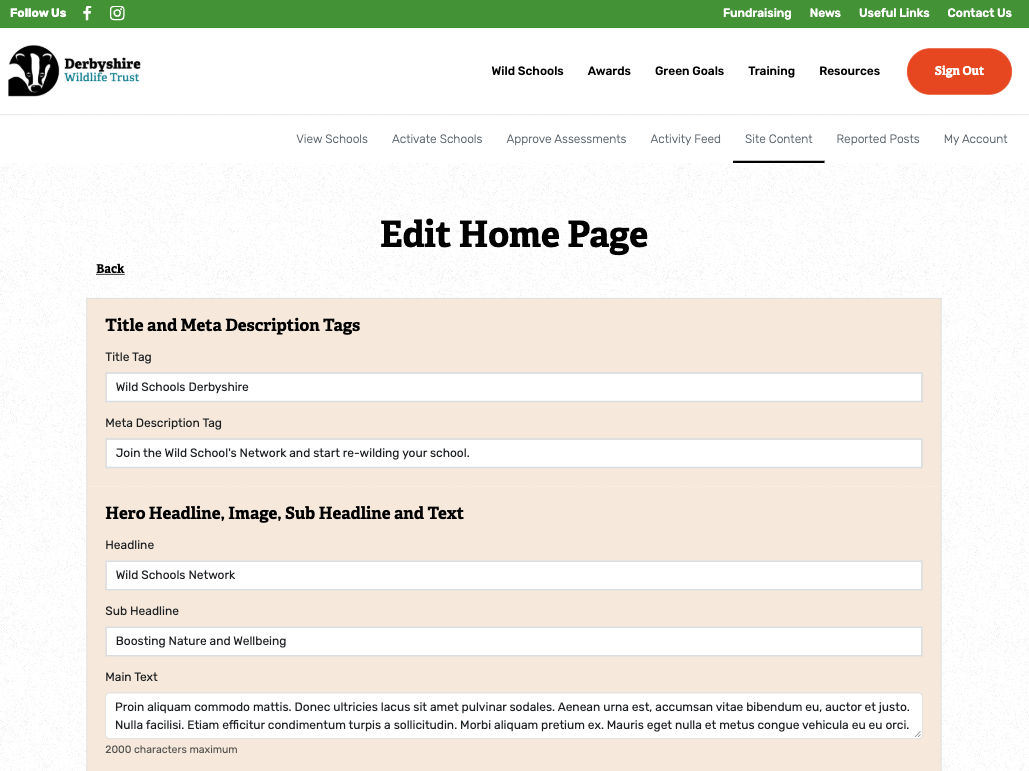
There are multiple marketing pages throughout the web application. Content on these pages is managed by a simple content management module within the DWT admin dashboard.
School Dashboard
Once activated, schools have their own dashboard where they can:
- Make an application for an accreditation
- View site visit and application feedback
- Download their accreditation badge
- Post their content to the Wild Schools' news feed
- Manage their posts
- Update their account details
Public School Profiles
All applications for accreditations are published to the schools public profile page. It's a great way to showcase what the school has done. And is also official evidence of their accreditation.
Resource Library with Taggable Resources
There's a great (and growing) library of PDF resources that schools can download to get them going on nature projects.
It includes a tagging system, where DWT can create tags and add them to resources. Teachers can review the tags, and then use them to filter resources by tag topic.
Image Management
Schools are able to quickly remove any photo that they've uploaded to the application. And the web application compresses images on upload so that they are the correct size and quality for web.
What did Pendigital Do?
We worked on all aspects of the project from vision through to delivery. It included four main phases:
- Discovery
- Design
- Application development and testing
- Training and release
Discovery
DWT came to us with their vision for the Wild Schools web application. From there, we created an easy to read, jargon-free (as much as is possible when describing a web application!) specification document. It included sections on:
- Overview: All features described succinctly. Perfect for sharing with non-technicals that may require a quick understanding in order for signing off.
- Screens and Core Functionality: Three sections covering a) public facing screens, b) DWT admin and c) School dashboard. Each screen is described with the content it contains and any core functionality.
- Branding: A clear specification on how the UI would adhere to brand guidelines.
- Other sections included: Technology to be used, Security, Training and more...
The specification document was essential throughout the design and build. It kept the project on track and allowed us to build the system quickly.
Check out our consultancy for creating specifications if you're at the early stage of developing software.
Responsive Design
With a clear specification in hand, design was straight-forward. We built out 30 layouts covering all areas of the application.
All designs were built direct in HTML to save time. DWT were able to review screens on many different devices to see their responsive nature.
Application Development
Once screen designs were approved, we moved on to the development of the application in a staging environment. Again, using the specification, we were able to add core functionality with ease.
We used Angular for the application itself and Firebase for the backend. Please check out our Angular and Firebase pages.
All elements went through testing to ensure the system was bug-free. Also worth mentioning that all our work comes with a 90 day warranty. Any bugs found and reported during this period will be fixed.
Training and Release
The final stage was training for the team at DWT within the staging environment. The application was then released into the wild on hosting via Firebase. The wild-schools sub domain was sorted by DWT.
The Wild Schools programme is now a growing network
The application has provided Derbyshire Wildlife Trust with a completely new digital service for managing the programme, from school registration and accreditation applications through to resources, feedback and ongoing engagement.
Please visit the site at:
https://wild-schools.derbyshirewildlifetrust.org.uk/


